
VPC Routing – Internet
You have web services and an EC2 database server running in your VPC. You want IPv6 anccrm for both layers. Your VPC has one private subnet 10.0.1.0/24 and hosts the DB instance. This subnet will require only outbound IPv6 and currently has outbound IPv4 using a NAT GW. What should you add to this subnet for IPv6?
- Add an Egress Only IGW to the subnet and add a static route for all v6 traffic to use this.
- Or add an IGW and static route
What is the best way to make two EC2 instances in private subnets that are the back-end of an internet-facing load balancer reachable?
[missing]
Your VPC route table has two routes to 10.1.1.0/24. One has a propagated VGW target, and one has a manually added IGW target. Which will be preferred?
- Static routes take priority over propagated routes
What are three types of subnets in an AWS VPC?
- Public subnet: has an Internet Gateway and a default route to that IGW. You can only have one IGW for a VPC.
- Private subnet: does not have internet gateway.
- VPN only subnet: only routes traffic to a Virtual Private Gateway
- Worth knowing that any HA design requires minimum 2 public and 2 private subnets.
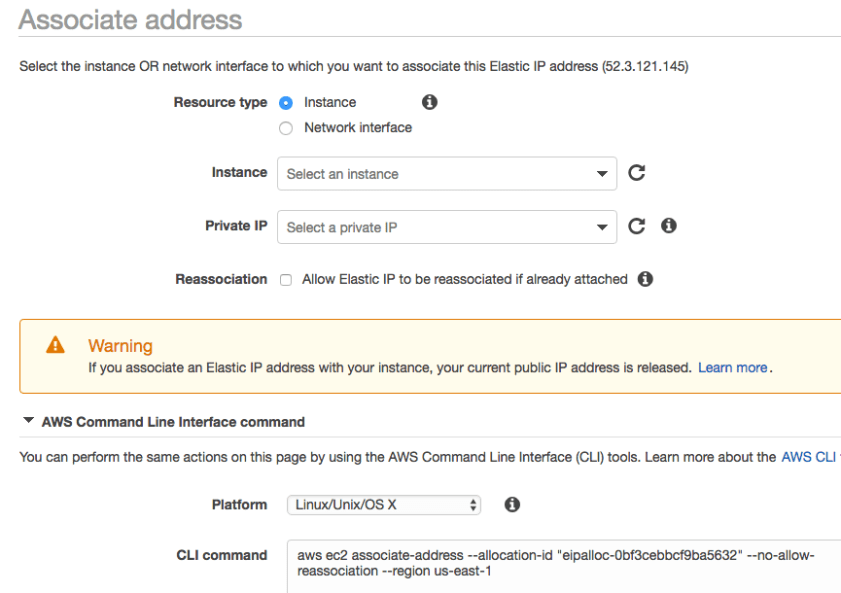
What limits and special conditions apply to Elastic IP addresses?
- 5 Elastic IP addresses per region.
- They are free if in used, but a charge applies for unused EIPs.
VPC Peering and Endpoints
A customer has an S3 bucket in US-East-1 and a VPC with EC2 instances on private subnet 10.75.85.0/24. EC2 instances need to be able to access S3 bucket without traversing internet. The customer would like to use the most cost effective solution possible. Options?
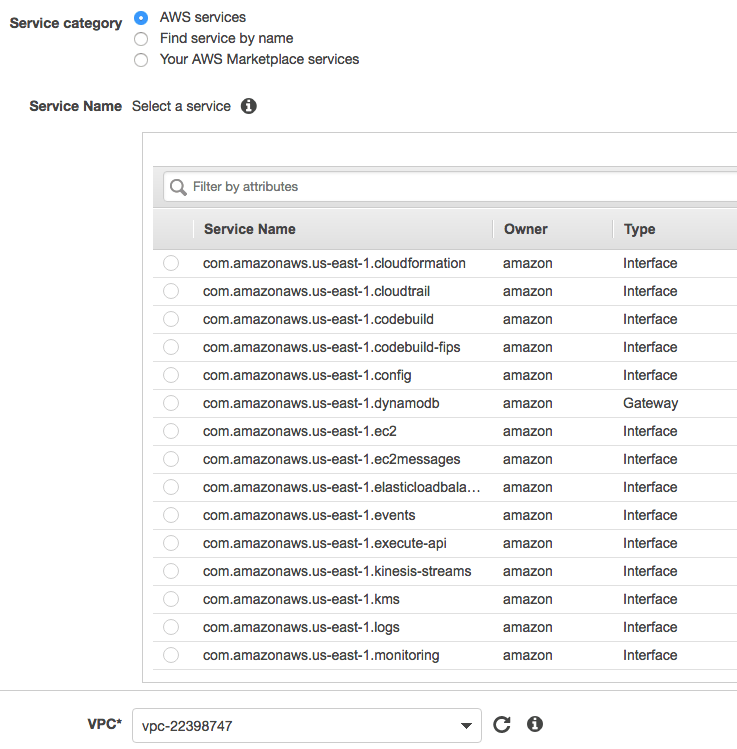
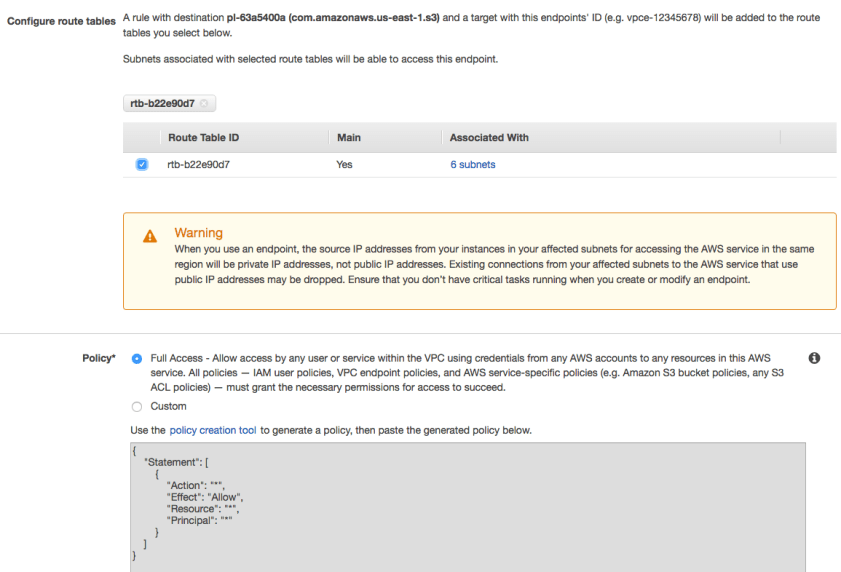
- Create a VPC endpoint for the S3 bucket and update the routing table for the EC2 subnet
- Add an Elastic IP to one fo the EC2 instances and use it to access S3 bucket
You use a NAT GW for your EC2 fleet to send content to and from your S3 bucket. Data transfer costs are getting expensive. How can you reduce costs?
- Create a VPC endpoint for your S3 bucket
Transitive routing: If A is peered to B, and A is peered to C, there is nothing you can add to C’s route table to reach subnets in B.
You have a Postgres cluster in AWS using private IP addresses using a security group to control access to all nodes in the cluster. How can you ensure disaster recovery for these nodes in another region SECURELY?
- Create a VPN IPSec tunnel and ensure the nodes in the other region allow the VPC CIDR block in their security group.
Direct Connect and VPN
Company has a Direct Connect endpoint in US-West to on-premise infrastructure using a direct connect partner. Currently this endpoint has 9 VIFs You would like to add more. What are your next steps?
- Log into the AWS console and start provisioning
Company has a Direct Connect in US-East-1 (10.1.0.0/16) to their data center but also wants to use it to connect to US-East-2 (10.2.0.0/16). After updating BGP, traffic from East-1 is not reaching East-2. Both VPCs can still access the corporate network. What might be the cause?
- Forgot to enable route propagation?
- VGWs in East-1 and East-2 are using the same AS
What is the limit on the number of propagated BGP routes in a VPC route table?
- 100
How many Direct Connect (DX) endpoints do you need to access all US regions over direct connect?
- 1
You have 3 VPCs, 10 S3 endpoints and 10 EC2 instances in each VPC. What is the minimum number of Virtual Interfaces for all of your resources to have access to the Direct Connect(ion)?
- 4 – one public VIF for the S3 endoints, plus one for each VPC
What are the minimum requirements for your network device to support Direct Connect?
- VLAN support (802.1Q)
- BGP and BGP MD5 support
- Disable autonegotiation
- Single-mode 1000Base-LX or 10GBASE-LR physical interface
You are using two Direct Connect circuits in a Primary/Backup pattern, but you are finding it takes too long for your Backup to take over when the Primary connection becomes sick but not dead. The same solution should apply if you are using VPN as backup. What will make failover faster?
- BFD
You need to aggregate and scale Direct Connects to achieve more data throughput to AWS. You decide to use a LAG group. What rules apply?
- Direct Connect links must al be the same bandwidth (1Gb or 10Gb)
- Direct Connect links must terminate on the same endpoint o the AWS side
- 4 connections max per LAG
- Each connection counts against your region connection limit
You have a large amount of on-premise traffic going to S3 that needs to be low, consistent latency and encrypted. What solution will help?
- Use an AWS Managed VPN (for encryption) over Direct Connect.
You are setting up a VPN connection between your VPC and on-premise infrastructure. You need to ensure the firewall rules allow this on premise. What ports do you need to allow?
- UDP port 500
- IP protocol 50 (ESP)
You are setting up a VPC Managed VPN. IKE Phase 1 is established but IPSec Phase 2 is failing. You have the correct IKE version, customer gateway and encryption method. What else might the problem be?
- UDP 500 might be blocked
From an AWS perspective, what VPC architecture is recommended for a highly available, low-cost VPN connection to your VPC?
- VPN connection is already highly available. AWS provisions two separate VPN endpoints for you to peer from your CGW. Anything more would increase cost.
IPSec VPNs are also supported on EC2 instances. Why might the AWS Managed IPSec VPN be more resilient?
- EC2 instances place more responsibility on the customer as AWS only manages the underlying host and has no responsibility for resiliency if the host fails health checks.
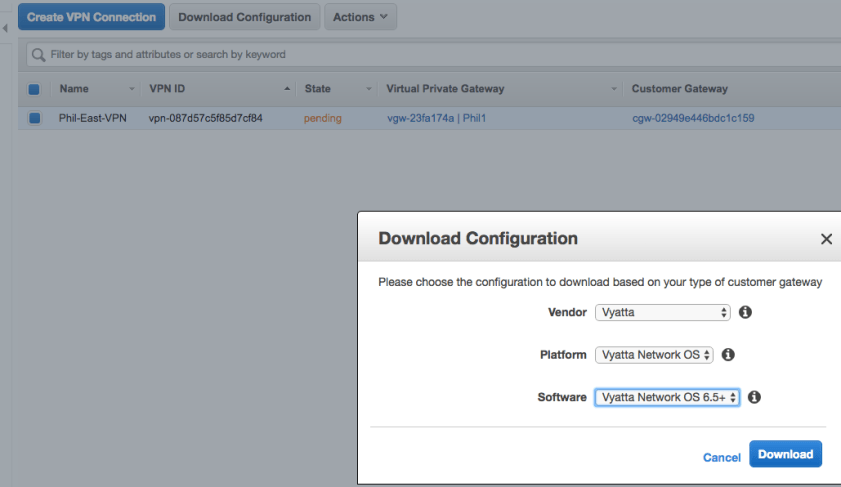
Your AWS Managed IPSec VPN to on-premise customer gateway is configured, but when you check the console tunnel status it still shows down. What will bring it up?
- Ping an AWS destination (behind the tunnel) from your CGW.
You require a GRE VPN between your AWS VPC and a remote site. How?
- AWS Managed VPNs support only IPSec. So you will have to create an EC2 instance that runs the GRE VPN endpoint and connect that to an Internet Gateway.
You have an AWS Direct Connect in US-East-1 and are using a public VIF to access an S3 bucket in the region. You want to use the same Direct Connect to access a S3 bucket in US-West-2 for safekeeping. How can this be achieved at the lowest cost?
- Create another public VIF of of your direct connect. This allows all network traffic to remain on the AWS network backbone.
You have a Direct Connect in US-East-1 and want to use it to access a VPC in another region? What are two ways to achieve this?
- Create a Direct Connect Gateway and connect it to a private VIF in the remote VPC
- Create a Public VIF off your Direct Connect and then a VPN connection to remote VPC
Load Balancing
You have just provisioned an Application Load Balancer to distribute your web traffic to a cluster of EC2 instances in the same subnet of a VPC. When you test the web site you receive HTTP 504: Gateway Timeout. What are likely causes of this error?
- EC2 subnet is missing a NACL to allow high ports out (1024-65535)
Company wants to send mobile web traffic (url is /mobile) to memory optimized instances and api calls (url is /wapi) to their largest compute instances. What can enable this?
- Use an ALB with path-based routing (“You can use path conditions to define rules that forward requests to different target groups based on the URL in the request (also known as path-based routing”).
You are using a Classic Load Balancer for both http:// and https:// connections, but you want your back-end logs to show the client IP, not the load balancer IP.
- Set the X-Forwarded-For header on the load balancer
You have an online commerce application running on EC2 instances (autoscaling and multi-AZ) behind Application Load Balancer service. The application tier must read and write data to customer managed (not RDS) database cluster. You want to ensure no access to these databases from the internet, but you do need to retrieve database patches over internet. What meets this need?
- Public subnets for the application tier. NAT-GW and private subnets for db cluster.
DNS – Route 53
You want to access your RDS DB using your private domain name mydb.acme.org instead of the AWS-provided name. What will enable this?
- Create a CNAME
For both performance and reduced cost, what is a good pattern to use to allow all of your VPCs to access your on-premise DNS servers?
- Create a hub VPC and replicate your on-premise DNS there. Then allow all your other VPCs to access this either through peering, VPC endpoints or proxy.
You have a private hosted zone in AWS but want to sure on-premise resources can lookup resources in the AWS zone. Which approach is least effort:
- Simple AD. Point on-premise systems to Simple AD; allows resolution of external DNS queries. Don’t forget to open your NACL to allow traffic from outside the VPC.
- AWS-Simple-AD-Blog
SECURITY POLICIES
Your EC2 web instance has both a Security Group (allow inbound on port 80 from 0.0.0.0/0, deny outgoing traffic) and NACL (same rules as SG). Users cannot access the web site. What needs to change?
- NACL needs to allow outgoing traffic for ephemeral ports (1024-65535 is the broadest range for these ports)
You are unable to ping an instance in another subnet in your VPC. Flow logs show your inbound ping as ACCEPT OK followed by REJECT OK. What is the likely fix?
- NACL needs to allow outbound ICMP
PERFORMANCE
[Jumbo frames] A peer manager suggested using jumbo frames to improve performance on a VPN connection between your data center and VPC. In what situations can jumbo frames help?
- Jumbo frames allow packet payload to exceed the 1500 byte limit – fewer packets are needed to send the same amount of data.
- Within AWS Jumbo Frames function: within a VPC or VPC peering connection within the same AWS region.
- Best used in Placement Groups for cluster computing.
- If accidentally set for traffic leaving the VPC, jumbo frames can hurt performance
Your EC2 instance will be processing a large inbound traffic flow, and you want to ensure maximum performance for network packet processing. Two suggestions?
- Choose an instance type that supports Enhanced Networking (SR-IOV)
- Enable Jumbo frames (MTU 9001) on the instance
You need optimal network performance between EC2 instances in different regions with peered VPCs. What tools do you have?
- Ensure the OS and instance type support Enhanced Networking
- Jumbo frames are NOT supported in VPC peering.
MONITORING
Application teams who do not manage Direct Connect (or VPN) want to be alerted when the connection to the headquarters office is down. How can they do this?
- Use Cloudwatch metrics to check for the state of the direct connect (or tunnel).
- Metric is called ConnectionState (0=Down, 1=Up), and you create an alarm for it
You want to be alerted any time resources are created. Which 3 services are most helfpul for this?
- AWS Config – continuously monitors and records your AWS resource configurations. Was created specifically to trigger on resource changes.
- AWS Lambda can respond to that trigger to send a message to SNS
- SNS
You have a Lambda function that looks for EC2 events and sends requests to SQS. How is this built?
- Create a NAT instance in your VPC to allow Lambda to talk to services that require internet.
- Ensure the VPC configuration is added to the Lambda function.
CLOUDFRONT
Your EC2 instance will be a custom origin for a Cloudfront web distribution, but you want to ensure traffic is encrypted in transit. What is required?
- Configure the Cloudfront Viewer protocol policy to redirect HTTP to HTTPS and change the Origin Protocol Policy to Match Viewer.
BILLING $$$
A department has set up their own AWS account that is not part of consolidated billing used by the rest of the company. They have a Direct Connect to their VPC using a private VIF. When downloading data from an EC2 instance in the VPC, how could the charges comes across?
- They would be charged for the data transfer out.








 Network Notes